Click-to-WhatsApp ads: the guide for travel agencies
How to build the ads that open a chat, how the free 72-hour window actually works, and how to know which ad brought you the sale.

Free-window mechanics, attribution fields and the Ads Manager path checked against Meta's public documentation.
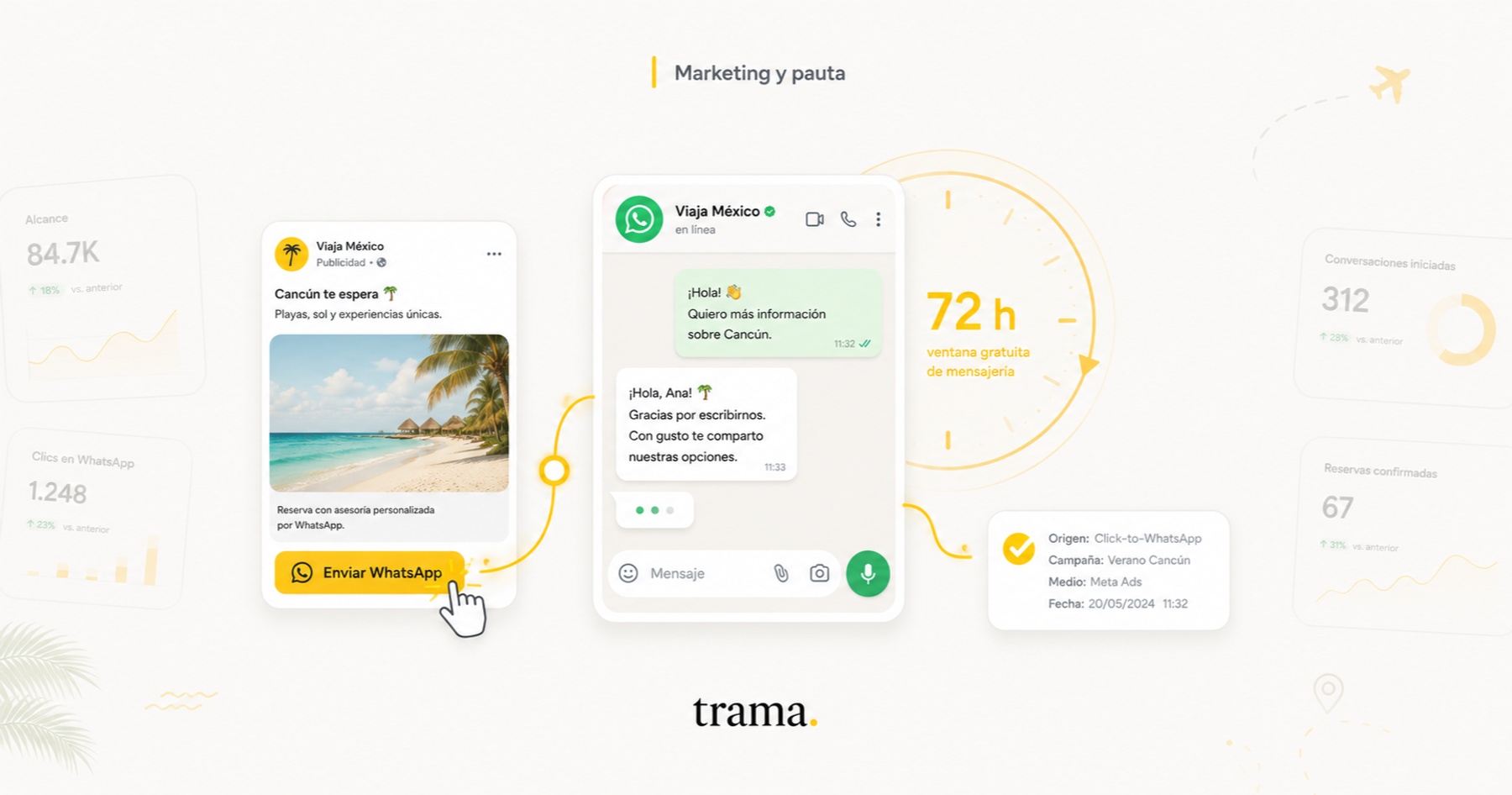
A click-to-WhatsApp ad is the only Meta format that doesn't drop your client on a landing page: it drops them in your inbox, typing. For a travel agency, which sells by having a conversation, that isn't a formatting detail. It's the whole product.
It's also the only one that comes with a free messaging window: seventy-two hours in which you can send that person anything you want without Meta charging you a cent. Almost no guide explains it correctly, and half the agencies running ads lose it without noticing, for a reason that has nothing to do with the ads.
This is the full manual: what the format is, how it's built today in Ads Manager, how the free window really works, how to close the attribution hole that keeps you from knowing which ad brought you the sale, and what changes when what you sell is travel.
What a click-to-WhatsApp ad is
It's an ordinary Facebook or Instagram ad (image, video or carousel) with a button that, instead of opening a website, opens WhatsApp with a message already loaded in the text field. The person taps send and appears in your inbox. No form, no email, no waiting.
One fact worth getting right, because half the internet has it wrong: the format is not from 2023. Meta launched it in August 2019, under the campaign objective then called click-to-message. By the end of 2022 it was already running at an annual revenue rate above one and a half billion dollars, growing 80% year over year. This isn't a recent experiment: it's a mature Meta business line, which is why the rules around it are quite specific and quite stable.
It matters more in travel than in almost any other sector, for a simple reason: nobody buys a trip through a form. They buy after asking whether the flight has a layover, whether the six-year-old pays and how the deposit works. An ad that leads to a landing page forces you to capture an email and wait. One that leads to WhatsApp puts the conversation in your hands while the intent is still hot.
And there's one market where it's the only door left: Brazil. Meta restricted businesses outside the country from starting conversations with Brazilian numbers, so the first message has to come from the client. A click-to-WhatsApp ad is exactly that, which is why it went from being one tactic among many to being the channel. We covered it in full in Meta changed WhatsApp for Brazil.
The 72-hour window, explained the way it actually works
Here's the part that's worth money, and where almost every guide either gets it wrong or skips it.
When someone messages you from a click-to-WhatsApp ad, what Meta calls a free entry point conversation can open. Inside that window you can send them any type of message, whether free-form replies, utility templates or marketing templates, at no charge.
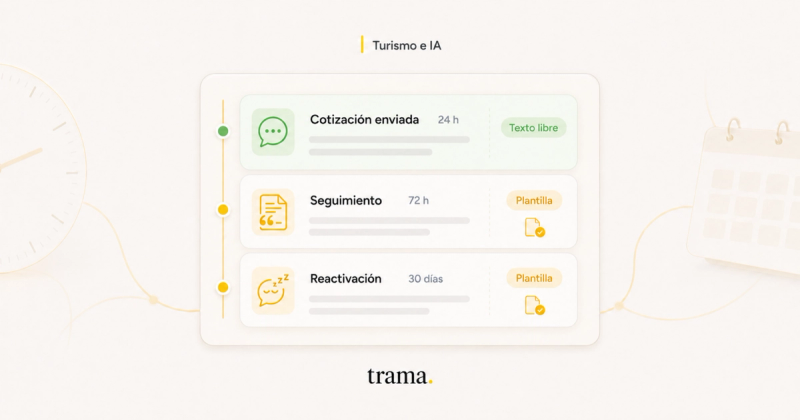
But the window doesn't open just because the person wrote to you. It opens only if you reply within the first 24 hours, and the 72 hours are counted from your reply, not from the client's message. Let the day go by and there is no free window: to reach them again you'll need a template, and that one is billed.
Put the other way round, and this is the line to pin on the team's wall: replying fast isn't just commercially better. It's literally cheaper.
One technical detail that confuses a lot of people: the 24-hour customer service window and the free 72-hour window are two different clocks running in parallel. The 24-hour one resets every time the client writes. The 72-hour one starts once, with your first reply, and never renews no matter how long the conversation goes on.
| What to look at | Customer service window (24h) | Free ad window (72h) |
|---|---|---|
| What opens it | Any message from the client | Your reply, within 24h of the first message |
| Counted from | The client's last message | Your reply |
| Does it reset? | Yes, with every client message | No, it starts once |
| What you can send | Free-form replies and templates | Any message type, marketing templates included |
| What's billed | From October 1, 2026, every message | Nothing |
| If you don't reply in time | It closes: paid templates only | It never opens |
Mechanics per the WhatsApp Business Platform pricing documentation, free entry point conversations section.
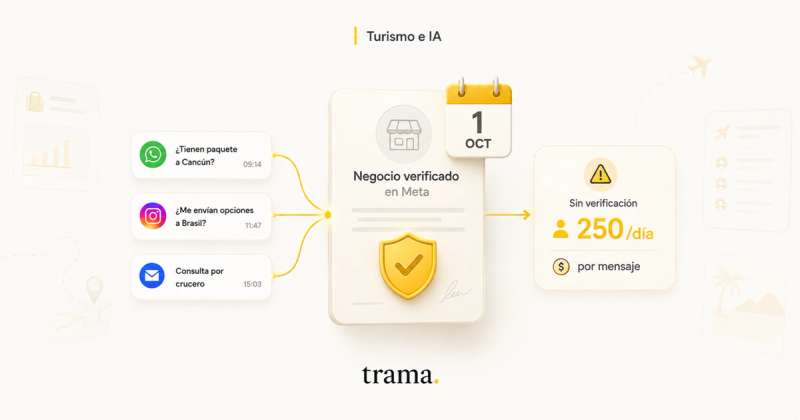
And this gets more important, not less, from October 1, 2026. From that date Meta charges for every reply inside the 24-hour window, but the ad's 72-hour window stays free. Which means paid social becomes, on top of an acquisition channel, the only place where answering costs nothing. The full change is in verify your business with Meta before October 1.
The free window doesn't open because the client writes to you. It opens because you reply.
How to set it up, step by step
Before you open Ads Manager you need three things wired together: a Facebook Page, a WhatsApp Business account with a registered number, and that number linked to the Page. If you work with the API, which is what any platform connecting your WhatsApp to a CRM uses, the number already lives in a business portfolio and the link is made from there.
How to build a click-to-WhatsApp ad
- 1
Link the number to the Page
In your Facebook Page settings, WhatsApp section, pick the country code, enter the number and confirm with the code that arrives by message. Without this step the number won't show up later in the ad's dropdown.
- 2
Pick the right objective
The usual path is Engagement. Sales and Leads also work if you're going to optimize for a conversion event further down the funnel, which is what you'll want once attribution is running. What no longer exists is an objective simply called Messages: it was absorbed into those three, which is why guides that still name it leave you hunting for an option that isn't there.
- 3
Set WhatsApp as the conversion location
At the ad set level, under Conversion pick Messaging apps and then tick WhatsApp. The list of numbers unfolds there. Double-check the selected number is the right one: it's the most common silent failure of this format, and an entire campaign can run sending people to a phone nobody watches.
- 4
Write the opening message
In the message template section you build what the person finds when WhatsApp opens: text already loaded in their compose field and, if you want, a greeting with FAQs. Make that pre-filled text specific. "Hi, I want info on Cancun in January for two adults" qualifies infinitely better than "Hi", and saves you the first two messages of the conversation.
- 5
Use the ad as a filter, not a magnet
Price from, departure date, whether it's flight plus hotel or land only. Every concrete detail you add scares someone off, and that's exactly the point: whoever still writes after reading "from US$1,890, departing January 12" has already self-selected. You'll get fewer conversations and better ones.
- 6
Let it run without touching it
Every edit to the ad set restarts the learning phase and the algorithm goes back to exploring, which is the most expensive moment in its cycle. If you're going to test something, test it for two weeks.
The attribution hole, and how to close it
This is the format's structural problem, and the reason many agencies try it, see a beautiful cost per conversation, can't find the sales anywhere and drop it two months later.
Meta sees the impression, sees the click and sees that a conversation opened. That's where it ends. What happens next happens inside your WhatsApp, a place Meta doesn't enter: it doesn't know which of those conversations turned into a three-thousand-dollar package, so it can't go looking for more people like that one.
What does exist is a thread to follow. When the conversation arrives from an ad, the message that lands in your account carries a referral object with a unique identifier for that click: the ctwa_clid. It's the ticket tying that person to that ad. If your platform stores it at the moment it creates the contact, you can send Meta the outcome later. If it doesn't, there's no recovering it after the fact: that data passes by exactly once.
Sending it back is done through the Conversions API, and it has two fields that, if missing, make the event process fine while being attributed to nothing: action_source has to be business_messaging, and you have to declare the channel as WhatsApp, on top of sending the ctwa_clid. Without that, Meta receives the conversion, accepts it and has no idea which ad it came from. That's the worst of all situations, because it looks like it's working.
And then comes the rule that decides whether any of this is worth doing: only report what passed a real filter. If you send every opened conversation back as a lead, you're still asking for conversations, now with extra steps. How to choose that threshold and what to expect from the curve, in your Meta ads are optimizing for the wrong metric.
How we close that loop at Trama
This is the part where I talk about our product, so take it for what it is. Everything above can be done without us. What follows is how we solved it so it doesn't depend on anyone remembering, and none of it happens unless the agency turns it on first.
The click identifier gets stored the instant the message arrives. When the conversation comes from an ad, the referral is attached and we stamp it onto the client's record right there, before anyone reads a word. There's even a rescue path for coexistence numbers, where Meta sometimes leaves that field out of the referral and it has to be recovered another way.
From then on the loop closes itself, because the agent is already inside the conversation. And we don't send Meta one signal back: we send three, as the opportunity moves across the board.
| What happened | When it fires | What Meta receives |
|---|---|---|
| The inquiry became a real opportunity | The moment the agent qualifies it | LeadSubmitted |
| That opportunity got quoted | When it moves to the quoted column | InitiateCheckout |
| That opportunity was won | When it moves to won, with the amount if it's filled in | Purchase |
Qualification travels as LeadSubmitted rather than Lead because the event list Meta accepts for business messaging is smaller than the pixel's: Lead, Contact and Schedule come back rejected.
Two design decisions cut against the instinct to report more, and they're exactly what makes this work.
Only what the agent qualified travels to Meta. An opportunity a salesperson logged by hand isn't reported, even if it ended in a sale. It sounds like throwing signal away, and it's the opposite: that opportunity never crossed a consistent filter, so teaching the algorithm from it muddies the learning instead of improving it.
The amount travels only if it exists. Sending zero would lie to Meta about what that conversion was worth. Today three in ten quoted opportunities have an amount filled in, so requiring it would leave most of them out. The event without an amount still works, because the optimization signal is that the conversion happened; the amount is extra, for calculating return.
And there's one more thing, the one nobody mentions while selling you a conversions integration: optimizing for the sale isn't always what you want. Meta needs roughly fifty weekly conversions per ad set to exit the learning phase. If your agency closes two sales a week and you optimize for sales, the campaign stays in learning forever and spends worse than if it optimized for something higher up the funnel.
So Trama looks at your actual volume over recent weeks and tells you which of the three events is worth optimizing for today, and only suggests going deeper once the threshold has held for four straight weeks. It recommends, it doesn't switch: every event change restarts the ad set's learning phase, so oscillating is worse than sitting still on the wrong event.
What changes when what you sell is travel
A travel inquiry isn't complete until it has five data points: destination, dates, passengers, departure city and a name. Without those five there's no quote to make, just a chat. Which is why the useful metric for a click-to-WhatsApp campaign in travel isn't cost per conversation started: it's cost per inquiry that made it to those five data points.
Our own number, measured in production: getting to those five data points takes five outbound messages at the median, and each reply goes out split into 1.24 messages because that's how people write on WhatsApp. With the 72-hour window open, those messages cost nothing. Outside it, every one of them has a price. The full math is in what WhatsApp Business API costs for a travel agency.
Seasonality also behaves differently than in other sectors. In travel the intent lives in the destination and the date, not the age bracket. A Caribbean campaign in high season and a Europe one in shoulder season aren't the same business: different ticket, different decision cycle, different objection. Mixed into one ad set, the algorithm averages them and both perform worse.
And the free window, looked at properly, is a selling tool before it's a saving. It's three days in which you can send the quote, the hotel flyer, a voice note from the salesperson and a reminder, without any of those messages costing anything. Most agencies send one and wait.
The five mistakes we see every time
Replying the next day. The most expensive of them all, because it doesn't just cool the lead: it closes the free window before it ever opens. An inquiry that lands on a Saturday night and gets answered on Monday has lost both.
Pointing the ad at the wrong number. The dropdown sits in a corner of the ad set and nobody looks at it twice. If the agency has more than one registered number, it's a matter of time.
Optimizing for conversations started. Ask for conversations and it brings you conversationalists, which is quite a different behavior from buying a trip.
Touching the campaign every 48 hours. Every edit restarts the learning, so the ad set lives permanently in its most expensive phase and never stabilizes.
Not storing the click identifier. Without it there's no attribution possible later, and it can't be recovered retroactively. It's the only one of the five you can't fix next month.
Frequently asked questions
Do I need the WhatsApp Business API or is the free app enough?
To run the ad, the app is enough. To measure it, no: the app doesn't expose the click identifier and doesn't let you connect the Conversions API, so you're left without attribution and unable to optimize for sales. The app's other ceiling is operational: one inbox, with no way for several salespeople to work in parallel.
Does the 72-hour window renew if the client writes again?
No. It starts once, with your first reply, and doesn't renew however long the conversation stays alive. The one that does reset with every client message is the 24-hour customer service window, which is a separate thing running in parallel.
Can I send a promotion inside the free window?
Yes. That's what's special about this window: inside it you can send any message type, marketing templates included, at no charge. Outside it, a marketing template is the most expensive category Meta bills.
Does it work for selling to Brazil?
Yes, and today it's practically the only route if your agency isn't based there. Meta blocked businesses outside the country from starting conversations with Brazilian numbers, and a click-to-WhatsApp ad solves that by definition: the client sends the first message.
How much does it cost?
Two separate costs worth not mixing up. One is what you pay Meta for the ad placement, which comes out of an auction and depends on your audience and your competition. The other is what the messages cost, which is priced per recipient country and per category. Inside the 72-hour window, the second one is zero.
Can I use the shop's own number for the ads?
Yes, as long as it's registered as a WhatsApp Business number and linked to the Page. What you don't want is that number sitting on one person's phone: the volume an active campaign brings overwhelms a single inbox, and that's exactly where 24-hour windows get lost.
What happens to these ads on October 1, 2026?
Nothing bad, rather the opposite. That day Meta starts charging for every reply inside the 24-hour window, but the ads' 72-hour window stays free. In relative terms, the format gets cheaper compared to everything else.
If you take two things away from all this, take these. The first is operational and costs nothing: someone has to answer those inquiries within the day, because whether the free window exists at all depends on it. The second is instrumentation: store the click identifier from the very first message, even if you don't yet know what you'll do with it.
The creative, the audience and the budget can all be fixed next month. Those two can't.

Yaco Peralta
Co-founder & CEO, trama.
Construyendo trama. para que las agencias de viajes vuelvan a tener foco en la asesoría humana.
More posts by Yaco Peralta