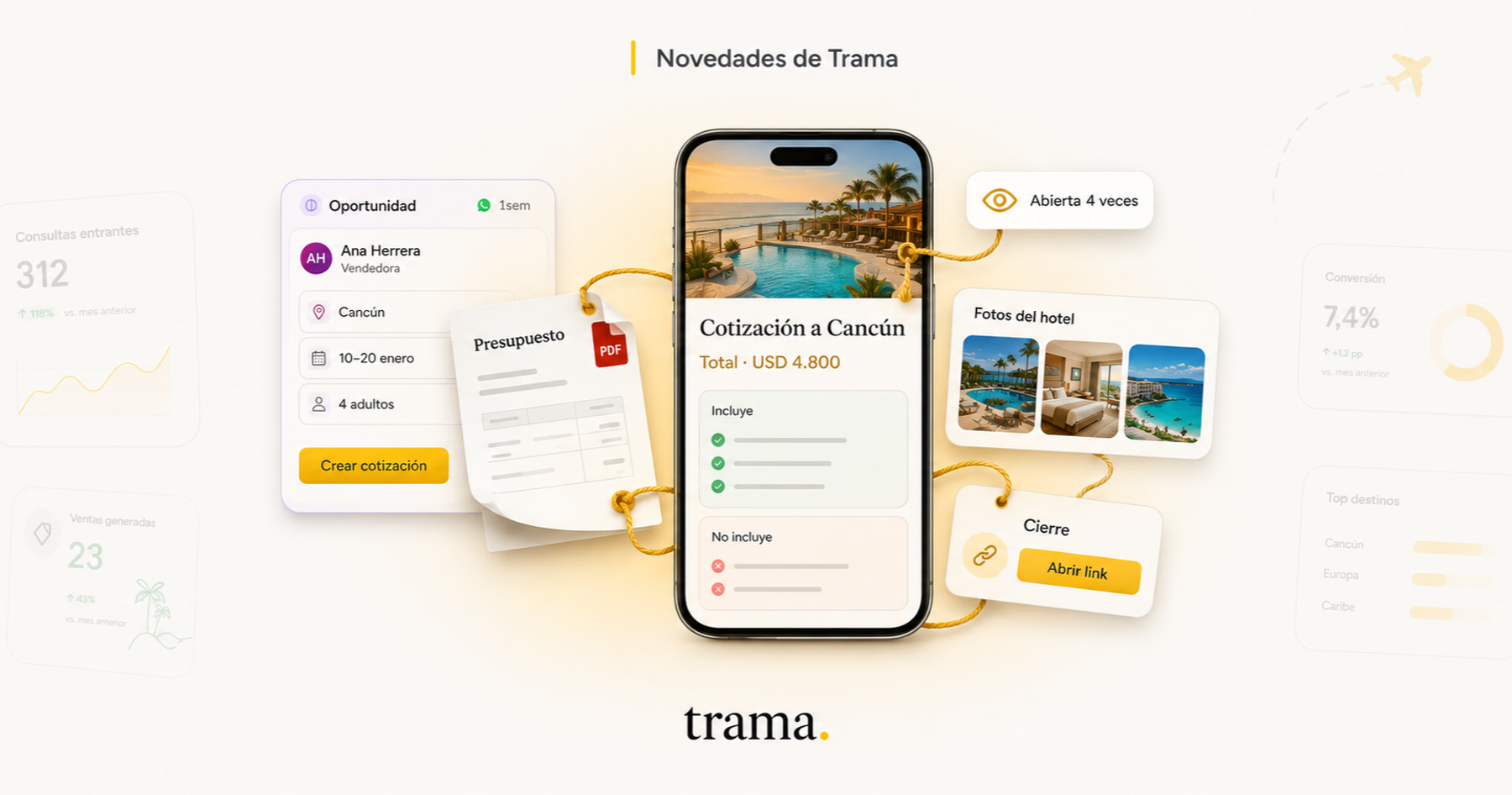
Until now, Trama handled the conversation. It answered the inquiry, worked out what trip the traveller was after, and handed your team an opportunity ready to work on. This month it learned to do the part that comes next: building the quote, showing the photos of a package when someone asks for them, and closing with whatever you choose.
Here is everything that is new, with the steps for each one. If you already use Trama, you can set it up as you read.
Quotes build themselves
🧾 You ask for it from the opportunity. Trama drafts it from what it already knows: the destination, the dates, the travellers, what the client told you along the way, the follow-ups your salesperson logged, and the packages in your catalogue that fit. You review and adjust, which is a very different job from writing it from scratch.
📄 Or you drop in the quote you already have. Drag your supplier's PDF onto the opportunity (a photo or a screenshot works too) and Trama reads it and turns it into a quote with your branding. The original file is kept for your records, but the traveller never sees it.
💬 Or you ask for it in chat. Message the Trama Agent "I quoted Juan", attach the PDF, and it hands you back a link ready to send.
💵 It does not invent the price. The price comes from your catalogue or from the amount you already quoted. If it has neither, it leaves the price empty for you to fill in rather than estimating a number. This is the rule we guard most closely: a quote with a made up price is worse than no quote at all.
✋ And you always see it first. All three routes end in a draft. While it is a draft, there is no link for a traveller to open.
How to build your first quote in Trama
- 1
Open the opportunity
Go into the client's opportunity and tap Generate quote with AI.
- 2
Review the draft
Trama builds it from the opportunity details, the follow-ups you logged and your catalogue. It starts as a draft, so there is no link a traveller could open yet.
- 3
Fill in the price if it came out empty
The price comes from your catalogue or from the amount you already quoted. If neither exists, Trama leaves it empty instead of estimating it.
- 4
Publish it and send it
Publishing switches the link on. Send it over WhatsApp, by email, or copy the link and paste it wherever you are already talking.
📱 What the traveller sees. A link with your logo and your colours, built to be opened on a phone: what is included, what is not, the total price with its unit ("for 4 adults") and the detail of every service. No payment or booking button, and that is deliberate: it is a proposal to talk about, not a checkout.
🎯 Publishing moves the opportunity. If it was still in the early columns of your board, it moves to Quoted on its own, with the amount filled in.
🗑️ And if you delete it, the link stops opening. It sits in Archived for thirty days, with the exact date it disappears, in case you want it back.
You know whether the client opened it
👀 Opens, the first and the last. Every quote shows how many times it was opened, when it was opened first and when it was opened last, with a chart of the past fourteen days. "I sent it and heard nothing" and "they opened it four times" are two very different phone calls, and now you know which one you are about to make.
🔦 The list flags the ones nobody opened. In Quotes, the ones you sent that are still unopened stand out on their own. It is the first thing worth looking at in the morning.
🤫 Your own preview does not count. Neither do WhatsApp's link previewers, which open the link themselves to build the little card in the message. Without that, pasting the link would already have counted as an open and the number would be worthless. If the traveller reloads the page, that does not count twice either.
🔒 You can lock it with a PIN. You can protect a quote with a four digit PIN that Trama generates. It never travels inside the message: you pass it on however you like.
Photos go out when they are asked for
🖼️ You build named albums on each package. "Porto Suites Hotel", "Dune buggy tour", and you say whether they belong to the accommodation, the activities, or general material.
🙋 The assistant only sends them if the traveller asks to see them. Ask about the hotel and the hotel photos arrive. Ask "do you have photos?" with nothing else and a few from each album go out. It never sends them unprompted.
🔁 Ask again and the next ones arrive. It remembers what it already sent and does not repeat. Up to five at a time, and videos work too.
🚫 The rate flyer stays out, on purpose. That one has prices and phone numbers printed on it, and an image does not go through the checks that text does. What goes out is what you put together to be shown.
Everything it sends stays in the conversation, so whoever picks it up sees exactly what the client saw.
You close with a link or a PDF in the same message
🎯 Every assistant has a Closing tab. You load two things there: a link and a PDF. When the assistant hands the inquiry to your team, it sends them to the traveller automatically.
🔘 On WhatsApp it arrives as a button. You choose the button text and the message that goes with it. The PDF arrives with its real name, not as "attached document".
📊 And you know whether they opened it. The link goes through Trama, so the opportunity record shows you whether it was opened and how many times.
This is where a payment link belongs, if you use one: the quote informs and the closing collects. But it works for anything you want to finish the conversation with, such as your booking engine, a details form, the trip instructions or your terms.
Instagram and Messenger, in the same inbox
📥 Inquiries land where you already work. An Instagram direct message or a Messenger message comes in just like a WhatsApp one, handled by whichever assistant you choose.
🤐 And the assistant goes quiet when you reply. If someone on your team answers from the Instagram app on their phone, the assistant notices and lets go of the conversation. They used to answer over each other.
👥 The inbox shows who wrote each message, so you can tell at a glance whether it was the assistant or a person.
My day, every morning on WhatsApp
🌅 Each salesperson gets their day. Leads waiting for a reply, what was assigned to them, their reminders and the follow-ups that rolled over, grouped by what each one needs rather than as fourteen identical lines.
⏰ It respects their hours. It does not arrive at six in the morning if they start at nine. And if there is nothing pending that day, it says so too.
👆 They open it and tick things off with a thumb. The link opens a screen where they mark things done, without having to go into the platform.
Your offers Link, more yours
🔍 You write the SEO per language, or Trama writes it. Title, description and keywords for Spanish, English and Portuguese, with one button that drafts them and another that translates them.
📈 Your own Meta Pixel. Paste in your Pixel and measure your microsite traffic in your own Ads Manager.
🤖 And its own assistant. The Link chat no longer shares settings with the one on your website, so each can be handled by a different assistant.
Does Trama send the quote to the client on its own?
No. Trama builds it and hands you the link, but sending it is always a person's decision. You can send it over WhatsApp from the platform, by email, or copy the link and paste it wherever you are already talking to the client.
Where does the price in the quote come from?
From your catalogue or from the amount you already quoted on the opportunity. Trama is not allowed to estimate a price: if it has neither of those two sources, it leaves the field empty for you to fill in.
How do I know if the client opened the quote?
The quote shows how many times it was opened, the first and last time, and a chart of the past fourteen days. In the list, the ones you sent that nobody opened stand out on their own. Your own preview and WhatsApp's link previewers do not count as opens.
Can I stop anyone with the link from seeing it?
Yes. You can protect it with a four digit PIN that Trama generates. The PIN does not travel inside the message: you pass it to the client however you prefer.
What happens if I delete a quote I already shared?
The link stops opening straight away. The quote stays in Archived for thirty days, showing the exact date it will be deleted, and you can restore it from there.
Does the assistant send photos without being asked?
No. It only sends them when the client asks to see something, and it sends the album that matches what they asked about. If you have not loaded any material for that package, it says so in the conversation instead of going quiet.
That was this month, and it was a lot. More soon.
If you are not using Trama yet, the CRM is free and it is not a fourteen day trial. Here is how the free plan works.

Atahualpa Herrera
Co-founder & CTO, trama.
A cargo del producto y la tecnología de trama. Convencido de que una buena herramienta se siente como un compañero de equipo, no como una pantalla más para llenar.
More posts by Atahualpa Herrera