Opportunities
The board where the sale happens: five columns, what happens when you win a sale, how to pause an opportunity, and what's inside a card.
Opportunities is the board. Five columns that follow a sale from the moment the agent qualifies an inquiry to the moment it closes — one way or the other.
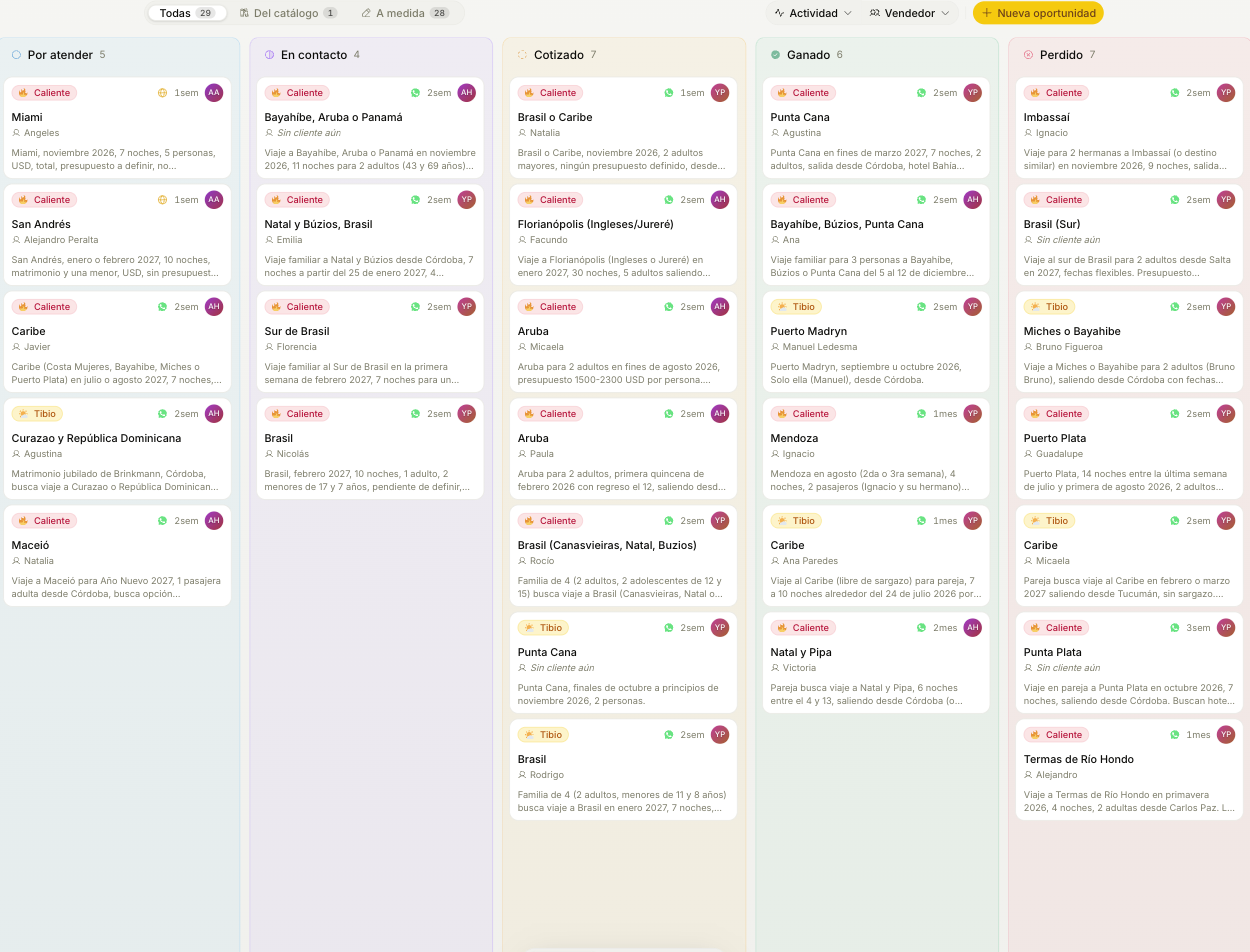
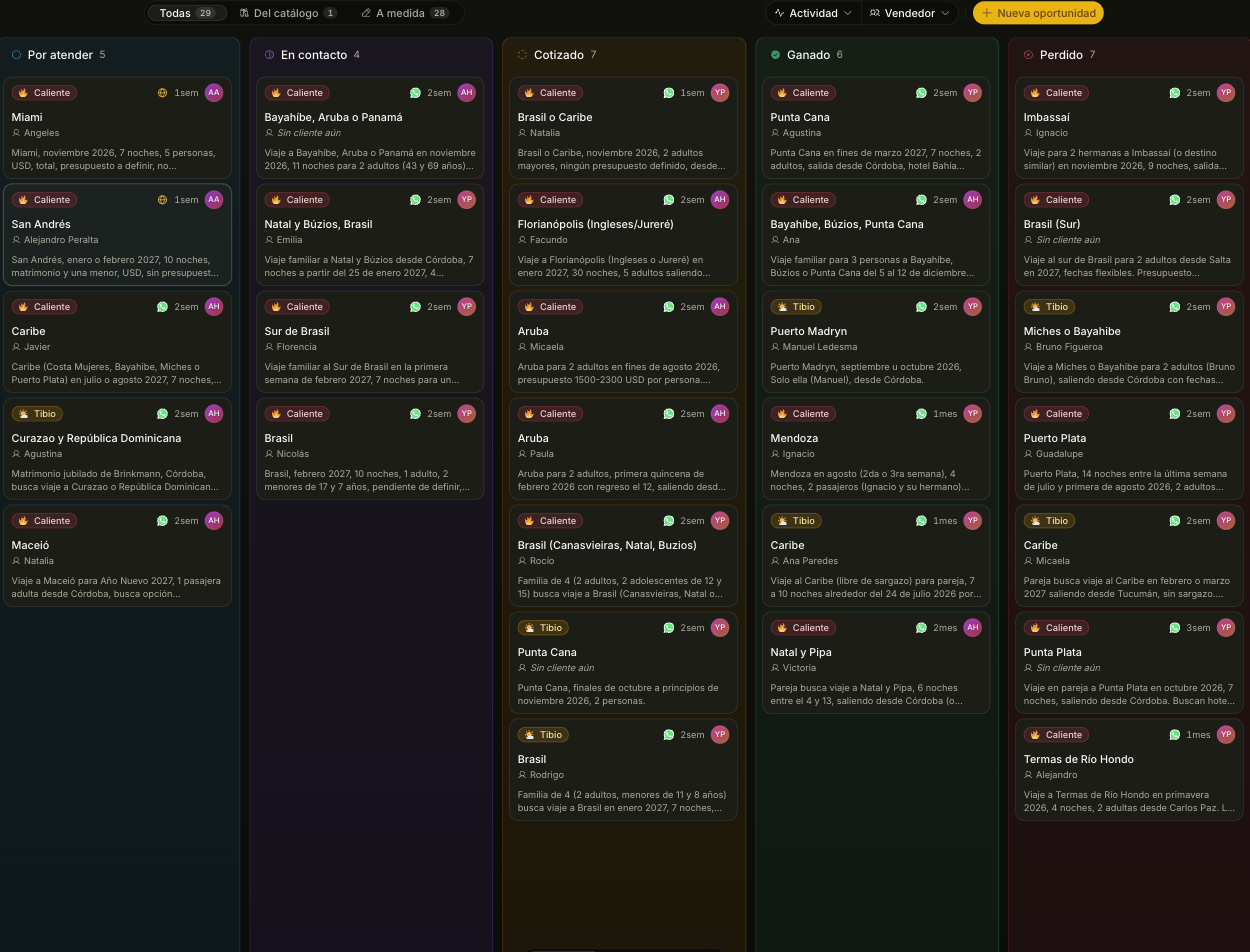
| Column | What it means | Who moves it |
|---|---|---|
| To contact | Qualified, assigned, nobody has replied yet | The agent puts it here |
| In contact | The rep is already talking to them | Moves on its own when the rep writes |
| Quoted | A price has gone out | The rep |
| Won / Lost | Closed | The rep, by hand or by asking Tramy |
A lost sale sometimes comes back. If the customer picks it up again, drag the card from Lost to the stage it's at now: you'll be asked for the reason, which stays in the history, so the opportunity keeps its whole trail instead of starting over on a new card. Won doesn't reopen: a closed sale that falls through is a new inquiry.
Each card shows the temperature, the channel it came in through, how long it's been sitting, the assigned rep, and the first line of what the customer asked for. That's deliberate: you should be able to decide what to open without opening anything.
The filters
- From catalogue / Custom — whether the opportunity was built from a catalogue item or from scratch. It's a filter and nothing more: it doesn't change how the opportunity behaves. It's useful for one question — how much is the catalogue actually producing.
- Activity and Rep — the usual cuts. The rep filter is only available to the Owner and Admin.
- Temperature, Sales line and Only mine — to keep just what you need to look at right now.
If you're missing an inquiry that didn't come in through the agent, you add it with New opportunity. Under Source channel you pick where it came from: besides the digital channels, In person if they walked into your office and Referral if another customer or an acquaintance sent them.
When you win a sale
When you move a card to Won, Trama asks you for two things:
Pick the quote that won
The closing amount comes from there. If you closed for a different number, edit it: it's recorded alongside the quote's. You can also leave it empty and fill it in later.
Review the sale sheet
The sheet builds itself from what's already known: travel dates, passengers and services. Fill in only what's missing. It's not required: anything left empty shows up as "not provided". Fill in the dates here, though, because they can't be edited from the sheet later. Passengers, operators and booking codes are completed later, from the card.
The sheet is what operations needs to load the sale into your business's system. It stays on the card, in the Sale block, and in the Closed sales section, where it's tracked by stage — Just closed, Documents pending, Loaded, Vouchers sent, Delivered — and copied in full with Copy sheet. Closed sales is visible to the Owner, the Admins and whoever has the Operations role, who also gets a notice for every closed sale.
Every sale has its own Sale no., counting up within your business, and the sheet also shows the holder's Customer no.. Both go in what Copy sheet copies and in the notice to operations: they're the numbers you give the operator.
Sales that were won before the sheet existed build it with Build the sheet, from the card.
Passengers
In Summary, the Passengers block collects who travels while you quote: first name, last name, ID, date of birth, nationality, email and phone. Only the first name is required, and one of them is marked as the holder of the booking. Changes are saved with the unsaved changes bar.
- If a passenger is already a customer of your agency, Trama links them to their file by phone or email, without creating another one. If the matching file has a different name (the mother who leaves her email for her son), it does not link them.
- Add the customer adds whoever wrote in with one tap, with the data from their file.
When you win the sale, the passengers are copied to the sale sheet and are completed there: the sheet's Passengers block is the one operations works on, and what changes there no longer touches the opportunity. The sale's passenger count comes from the list. Adults, children and infants come from their ages on the day of the trip, when everyone has a date of birth. The sale's holder is the passenger marked as holder.
The ID and the date of birth are personal data: whoever can see the opportunity sees them, and they never travel in the sale closed notice. Copy sheet does include them, so you can load them into your system. They also go into the data backup, in the Passengers tab.
In Closed sales you filter by stage, period and seller, and the foot of the table shows the total of what you filtered. There's one total per currency: what closed in dollars and what closed in pesos add up separately, never together and never converted. Sales closed without an amount get their own row, No amount. Download Excel takes those same sales to an Excel file with two tabs: Sales, one row per sale with holder, salesperson, destination, departure and return dates, services, operators, booking codes, amount, currency and stage, and Sale services, one row per service. The cost of the services is not in the file.
The backup in Settings → General → Export data also has those two tabs, with every sale.
When you lose a sale
When you move a card to Lost, Trama asks for the reason. The list has the ones agencies repeat the most: no reply, price, bought from a competitor, changed plans, not qualified, no availability or no departure, we don't sell that destination or service, the travel date already passed, duplicate inquiry and discarded by the seller. If none fits, Other asks you to write the reason.
The list belongs to your agency. In Settings → Opportunities, the owner or an admin can rename a reason, hide the ones you don't use and add your own. Same with the contact outcomes you pick when logging a follow-up: renaming one keeps the next-contact date it suggests. A card that already had a reason keeps it even if you hide it later.
To see why sales are lost, ask Tramy: "why did we lose deals this month?" gives you the lost ones by reason, and by seller if you ask.
Pausing an opportunity
For the customer who told you "write to me again in October". With Pause, the opportunity leaves the board and Trama stops reminding you about it: it doesn't go into the daily summary, doesn't generate follow-ups and doesn't go dormant. It keeps its stage and its whole history.
- With a date, it comes back to the board on its own that day and we remind you.
- Without a date, it stays paused until you pick it back up yourself.
- Either way, if the customer writes first, it comes back on its own.
A paused opportunity still counts as your workload for the routing of new inquiries.
Temperature, and why it's not an opinion
The Hot / Warm / Cold label isn't the agent's impression of how excited someone sounded. It's derived from a score out of 100 that measures how complete the data is: destination, travel dates, number of passengers, nights, city of origin, and whether there's any budget signal.
Two things follow from that, and both are useful:
- Precision counts double. A specific destination scores more than a vague one; exact dates score more than "sometime in summer". The same conversation with sharper answers scores higher.
- The system knows exactly what's missing. That's why an inquiry sitting in Out of funnel tells you "missing dates, at least approximate · has passenger count" instead of just "unqualified". It's the same measurement read backwards, and it's what the agent uses to ask for the one or two things that would move it.
Inside a card
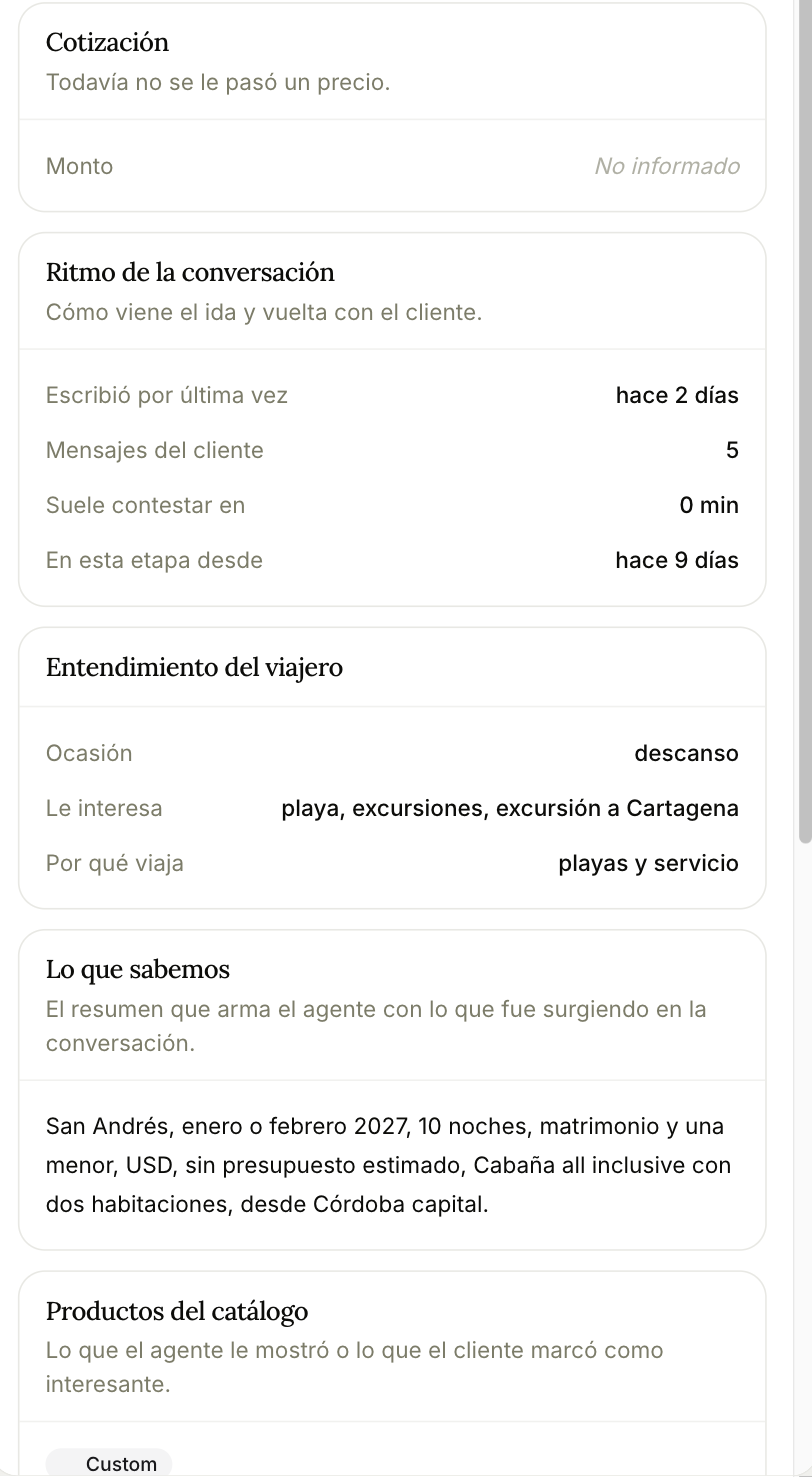
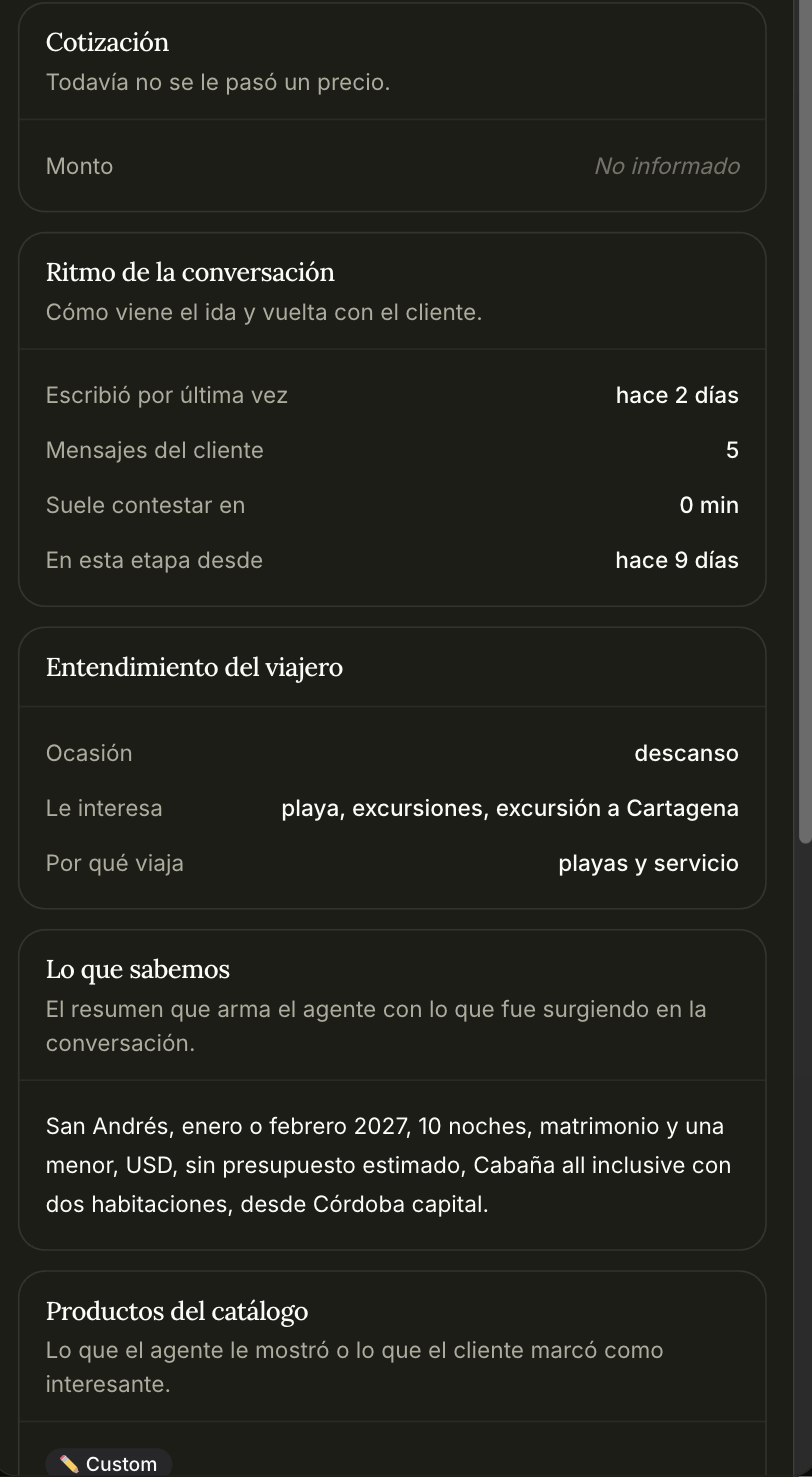
The top of the panel shows the customer's name, the same one that titles the card on the board. Below it, smaller, what the opportunity is about and, when there is one, the phone number or username they wrote from. If the customer has no name yet, the panel is titled by the opportunity.
Four tabs: Summary, Customer, Conversation and History. Summary is the one you'll live in:
- Who's working it — the rep who answers this customer.
- Conversation rhythm — when they last wrote, how many messages they've sent, how fast they usually reply, how long it's been in this stage. This is the block that tells you whether it's worth pushing.
- Traveller understanding — occasion, interests, and why they're travelling. What the agent inferred, beyond the hard fields.
- What we know — the summary the agent assembles from the conversation, in one paragraph.
- Catalogue products — what the agent showed them, or what they flagged as interesting.
- Passengers: who travels, with their ID and date of birth. See Passengers.
Plus attachments, and the quote if there is one.
Amount follows the quote that leads. If someone types it by hand, the panel says who set it and when, and the quote stops overwriting it. Back to the quote releases that number: the amount comes from the quote again, right then.
History
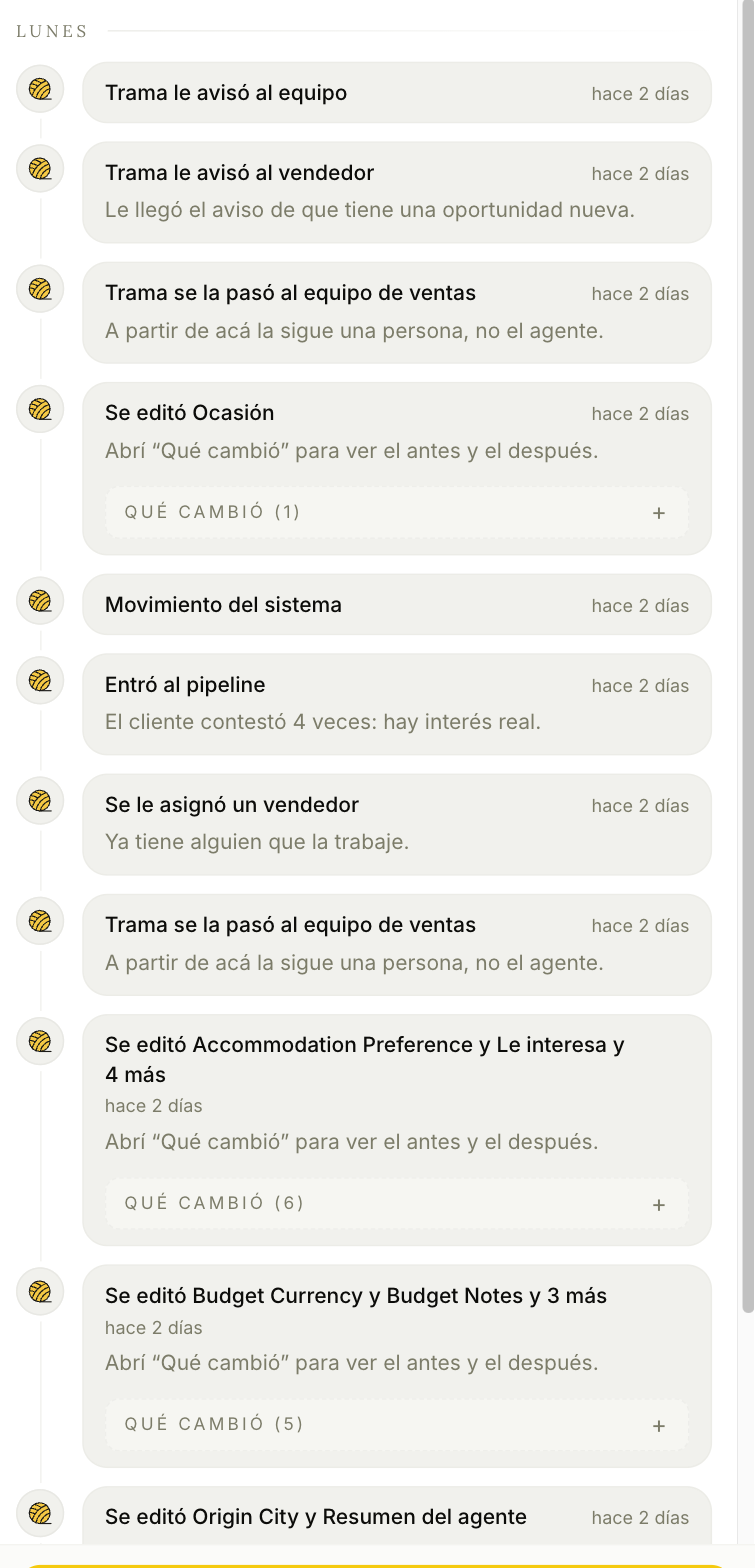
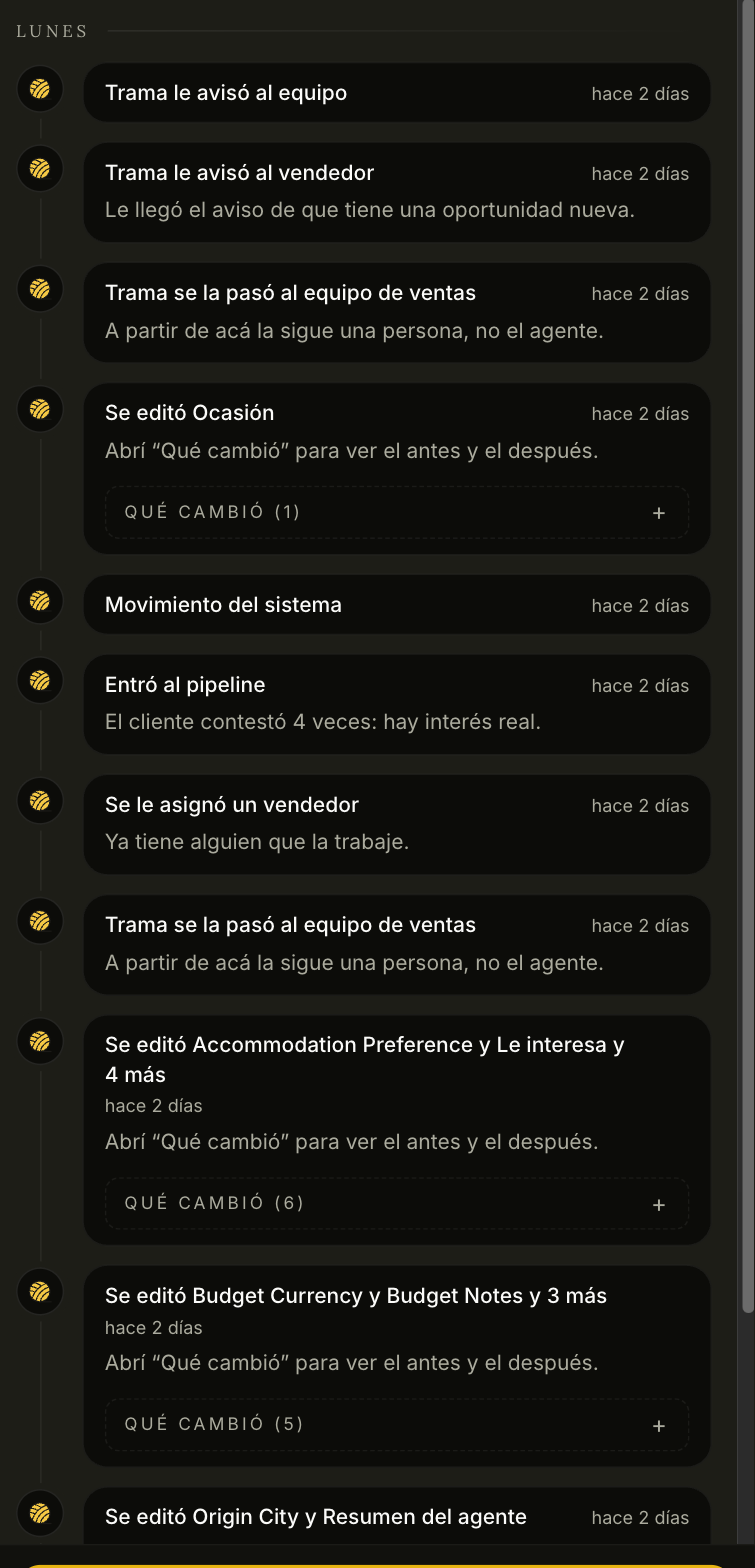
Everything that happened to this opportunity, who did it, and when. Not just status changes: field edits show a What changed expander with the before and after.
It's worth reading when something doesn't add up. Entries like "Trama handed it to the sales team — from here on a person follows it, not the agent" or "Entered the pipeline — the customer replied 4 times: there's real interest" explain decisions that otherwise look like they came from nowhere.
Out of funnel
The board's second view. Opportunities that stepped aside — unqualified, no reply, paused, archived or reported — each behaving differently. It's covered in Lifecycle.