Offer Link
Your own page, built from the catalogue, capturing inquiries with a form or with your agent.
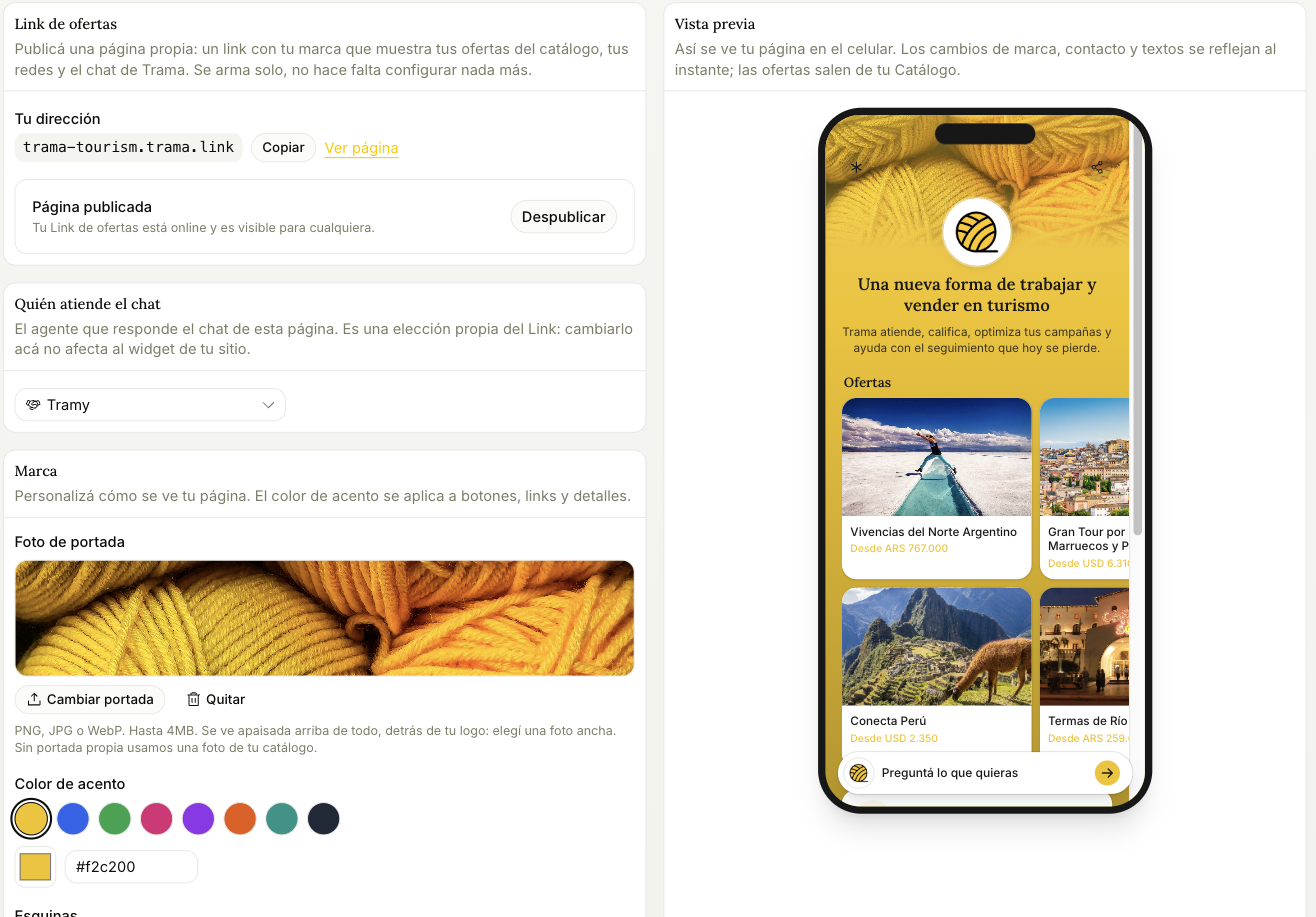
A public page at yourbusiness.trama.link that shows your catalogue offers, your contact details and your socials, and captures inquiries right there. It builds itself: the offers come from the catalogue, the contact details, the address and your store hours from Business. The Link's Contact tab shows them summarized, with Edit in Business to change them.
Publishing
One switch. Published means online and visible to anyone; unpublished takes it offline without losing anything you set up.
The address is yours and it's fixed. Put it in your Instagram bio, in your ads, in your email signature — anywhere a link works better than a phone number, because a link shows prices before the conversation starts.
What it shows
Only catalogue items marked to appear on the Link, and only the active ones. A paused or archived product disappears from the page on its own — you don't have to remember to take it down.
The preview on the right is live. Every branding change is reflected instantly, which is the fastest way to check that your accent colour actually works on top of your cover photo.
Storefront groups
The page groups your offers by country on its own: a country with two offers or more gets its own group, and the rest are gathered by region. If you prefer your own cuts (your website's regions, Domestic, Premium), build them in the Offers tab, under Storefront groups.
- Tap Add group and type the name visitors will see.
- Pick what it gathers: whole regions (Caribbean, Europe), single countries or tags from your catalogue. Every offer that matches any of them goes in. A region also includes the countries you add later.
- Under each group you see how many offers it gathers.
- With Show it in the page's group row turned off, the group is not in the row, but its page exists and you can share it.
- Changes are saved with Save, on the Unsaved changes bar.
Storefront destinations lists the groups the page builds on its own. You can rename them, reorder them or tap the eye to hide them: if you built your own regions, hide them so the row shows only yours. Hiding a destination doesn't delete its page, so links you already shared keep working.
Branding
Cover photo, accent colour, corner style and favicon. If you don't upload a cover, it uses a photo from your catalogue. If you pick "from your logo" and haven't uploaded one, it falls back to Trama's.
There's also an optional field for your own Meta Pixel, if you want to measure visits to this page in your own account.
How it captures inquiries
Two ways, and the difference matters for your plan:
- Contact form. The person asks for information by leaving their details, and that creates an opportunity on the board with whatever they filled in. No agent in the middle, available on every plan, and never billed, with no cap on how many.
- Agent chat. Your Inquiry Agent answers inside the page, qualifies and hands over to a rep. It needs a paid plan — it starts on Starter — and every opportunity it qualifies there draws on your monthly allowance, same as one from WhatsApp.
On the free plan the Link captures through the form. It's explained in Plans.
Who answers the chat
The Link has its own agent selection, independent from your website widget. Changing it here doesn't affect the widget, and that's deliberate: you might want a different agent answering a page you promote in ads than the one answering on your site.