Ads
Which ad actually brought customers, not just clicks — and how to teach Meta the difference.
Meta tells you how many people started a conversation. It can't tell you which of them became a sale. Ads closes that gap: it takes the leads that arrived through your Click-to-WhatsApp, Instagram or Messenger ads and follows them all the way to won or lost.
Ads starts on Starter. The column that makes the table worth reading is the qualified one, and that gets written by your Inquiry Agent while it handles the conversation: the free plan has none. See Plans.
The table
One row per ad, with leads, qualified, % qualified, quoted, won and value. If you connect your Meta account you also get spend, budget, cost per lead and cost per qualified lead, and you can group by campaign or ad set. The whole table comes from the same period: for a monthly report, pick Custom dates with the first and last day of the month.
Cost per lead is spend divided by leads. With no spend or no leads the cell stays empty: a zero would say the ad was free.
Four things about those numbers are worth knowing before you draw conclusions:
- "Qualified" is strict. It counts only opportunities the agent qualified. Anything a rep pushed into the pipeline by hand doesn't count — otherwise the number would measure your team's optimism instead of the ad's quality.
- "Quoted" looks at the inquiry's history, not where it sits today. It counts the people whose inquiry went through Quoted at some point, even if it was won or lost afterwards. A sale that went straight to Won counts too, because nobody sells a trip without quoting it. As with qualified, only what the agent qualified gets in.
- The current period's numbers keep going up. A lead that arrived today may qualify tomorrow, and when it does it counts back to the day it arrived. That's why comparing a half-finished month against a completed one always flatters the completed one.
- Without a connected Meta account you still get the leads. Those come from your own data. What disappears is the money: spend, budget, cost per lead and cost per qualified.
"No ad" and "From an ad (we don't know which)" are not the same thing, and mixing them up is the easiest mistake here. The first is genuinely organic — referrals, someone who had your number saved. The second did come from your ads; the ad's identifier just didn't arrive. Only the first sits outside the table.
Ad measurement
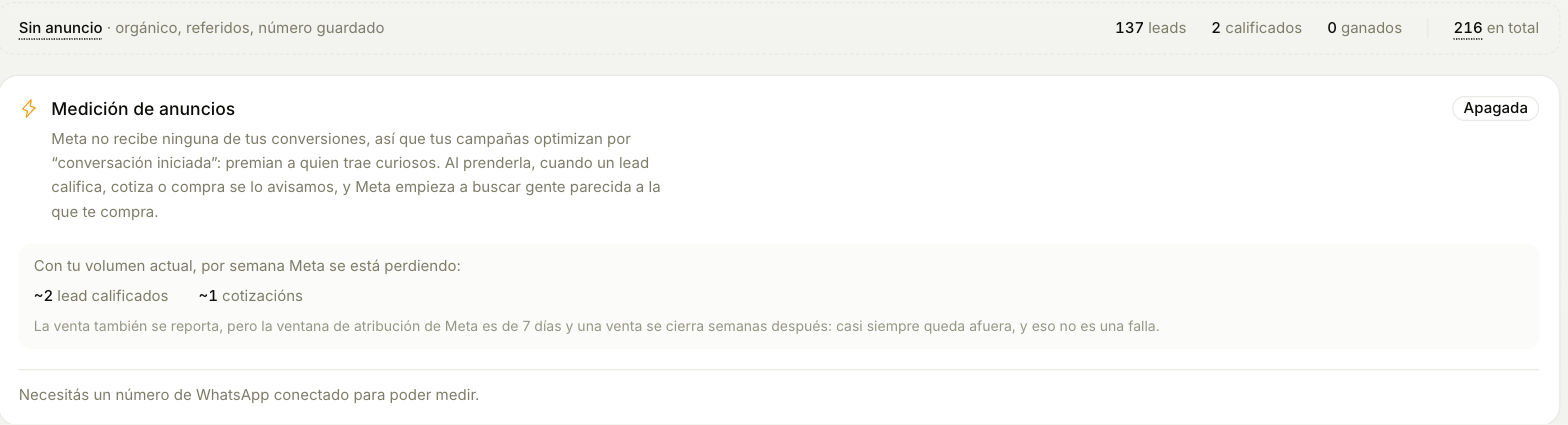
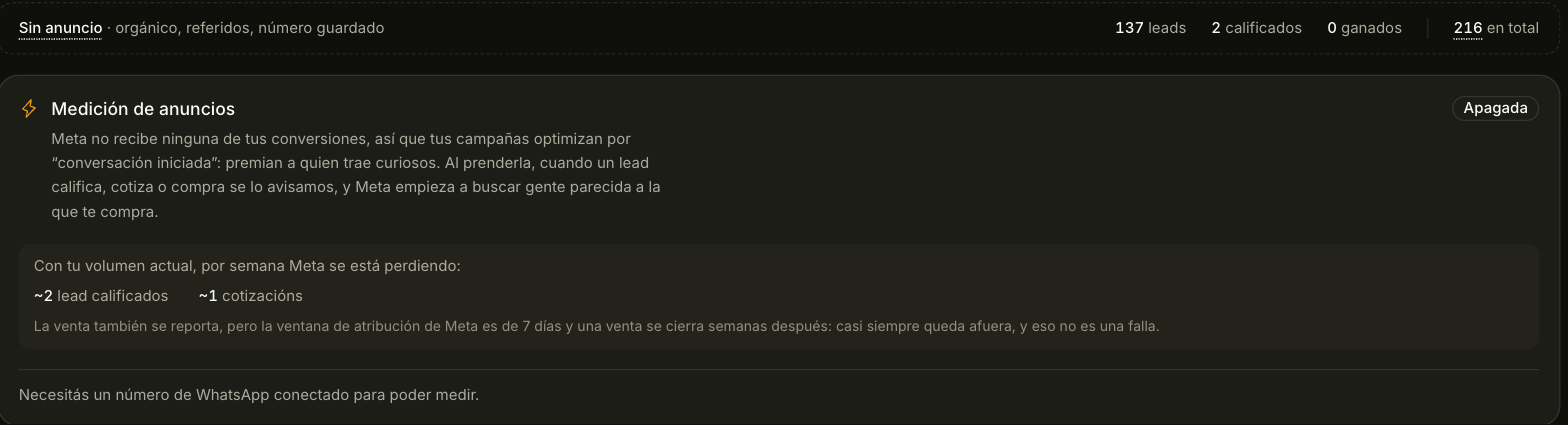
This is the part that changes results rather than just reporting them.
With it off, Meta only knows that someone started a conversation. So it optimizes for that: it goes and finds you more people who start conversations — which means more curious browsers.
Switch it on and Trama tells Meta when a lead qualifies, gets quoted or buys. Meta stops looking for people who chat and starts looking for people who look like the ones who buy from you.
The only thing shared is the phone number, turned into an unreadable code first. Neither Meta nor anyone else can get the number back out of it. The name and the conversation never leave.
It ships off by default, on purpose: it's your customers' data and turning it on should be your decision, not ours.
The sale almost never makes it in time, and that's not a bug. Meta only accepts news of what happened within 7 days of the click, and a trip usually closes weeks after the first message. Qualification and quoting do arrive within the window — those are the ones that will actually train your campaigns.
To measure you need a connected WhatsApp number: the events are reported against the number the conversation came in on.
Boost a post
If an Instagram or Facebook post already did well on its own, you can promote it as is, without building a new ad. From Ads, tap Boost a post.
- Pick the post. You see your posts from the last 90 days with their likes, comments and reach, sorted by Most engagement: what already performed is usually what is worth promoting.
- Say what people should do. Message you opens a chat on WhatsApp, Instagram Direct or Messenger, and your Inquiry Agent answers it like any other conversation. Visit a link takes them to your site with the button you choose.
- Budget, dates and audience. The amount is in your currency and in whole numbers, daily or lifetime (lifetime needs an end date). The audience starts in your country and from age 25.
- Tap Create paused ad. A video can take a few minutes.
Location is where your customer lives, not the destination. A Bariloche package is sold to people living in Buenos Aires or Córdoba, not to people already in Bariloche.
The ad is created paused: it spends nothing until you tap Activate ad and confirm. On that same screen you see, separately, whether it is delivering and what Meta's review said (in review, approved or rejected, with the reason when Meta gives one).
You can also add it to an ad set you already have, from Advanced settings: it then uses that ad set's budget, dates and audience.